Home›Monitoring screens
Monitoring Screens
A tour of the monitoring screens
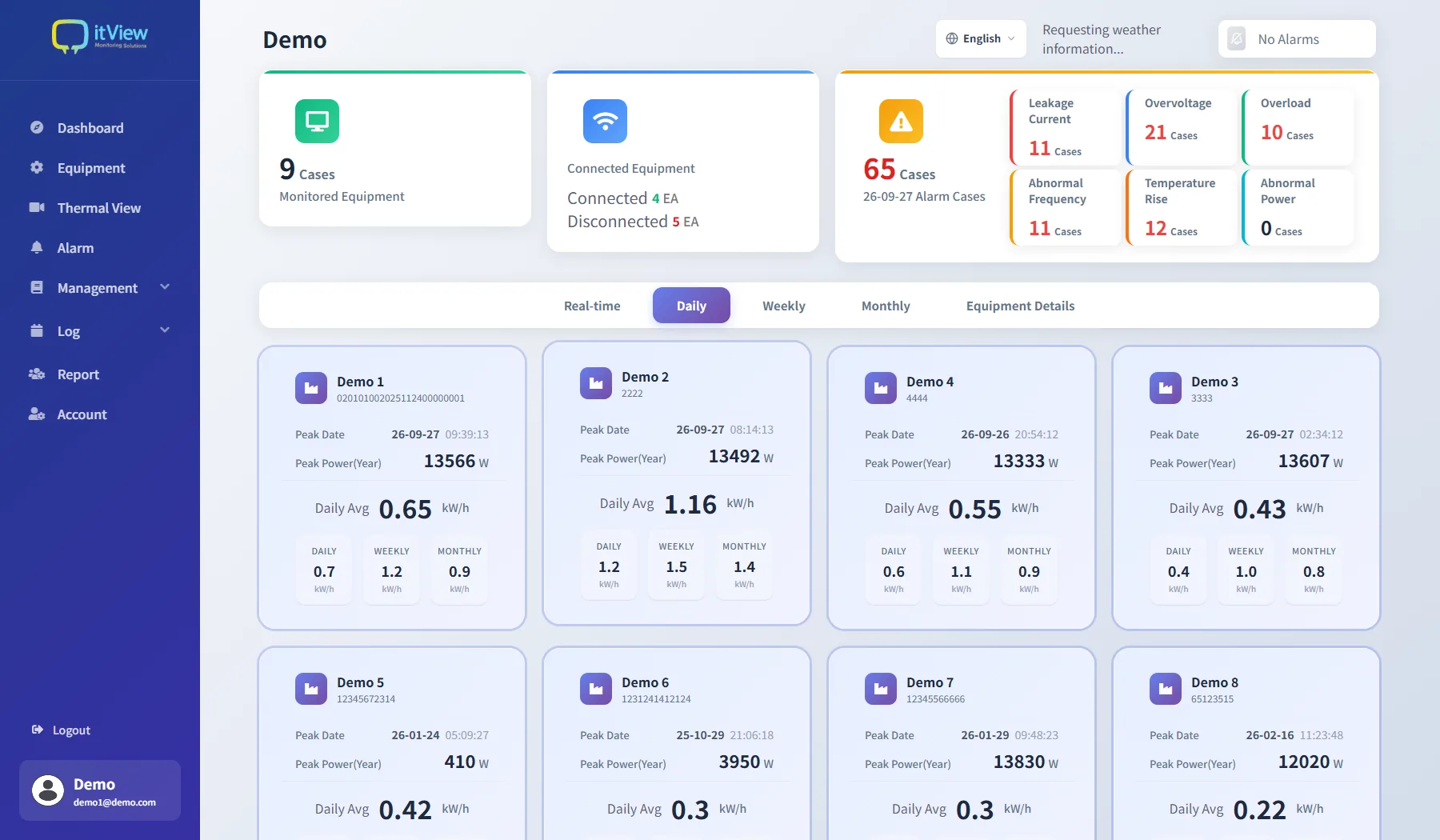
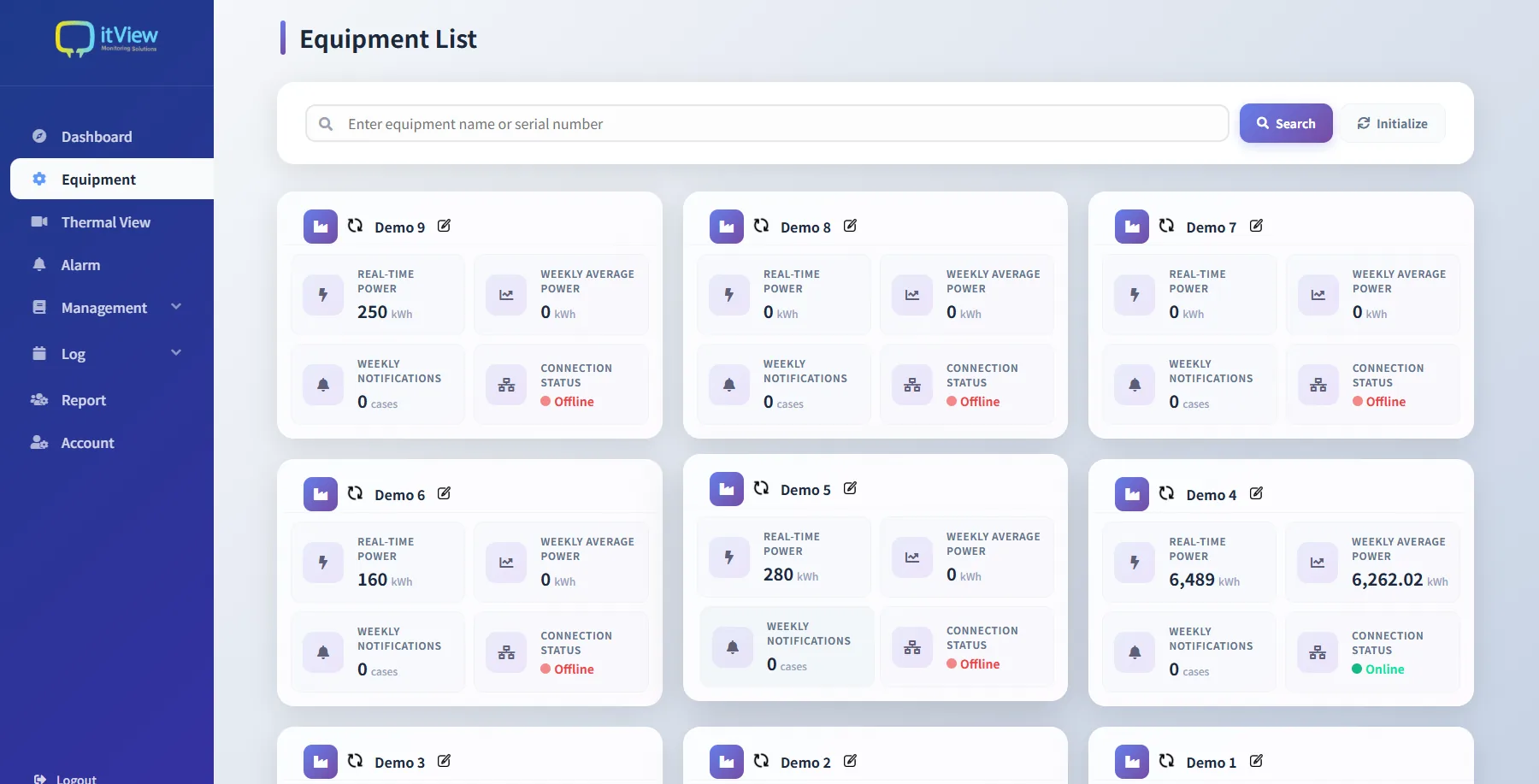
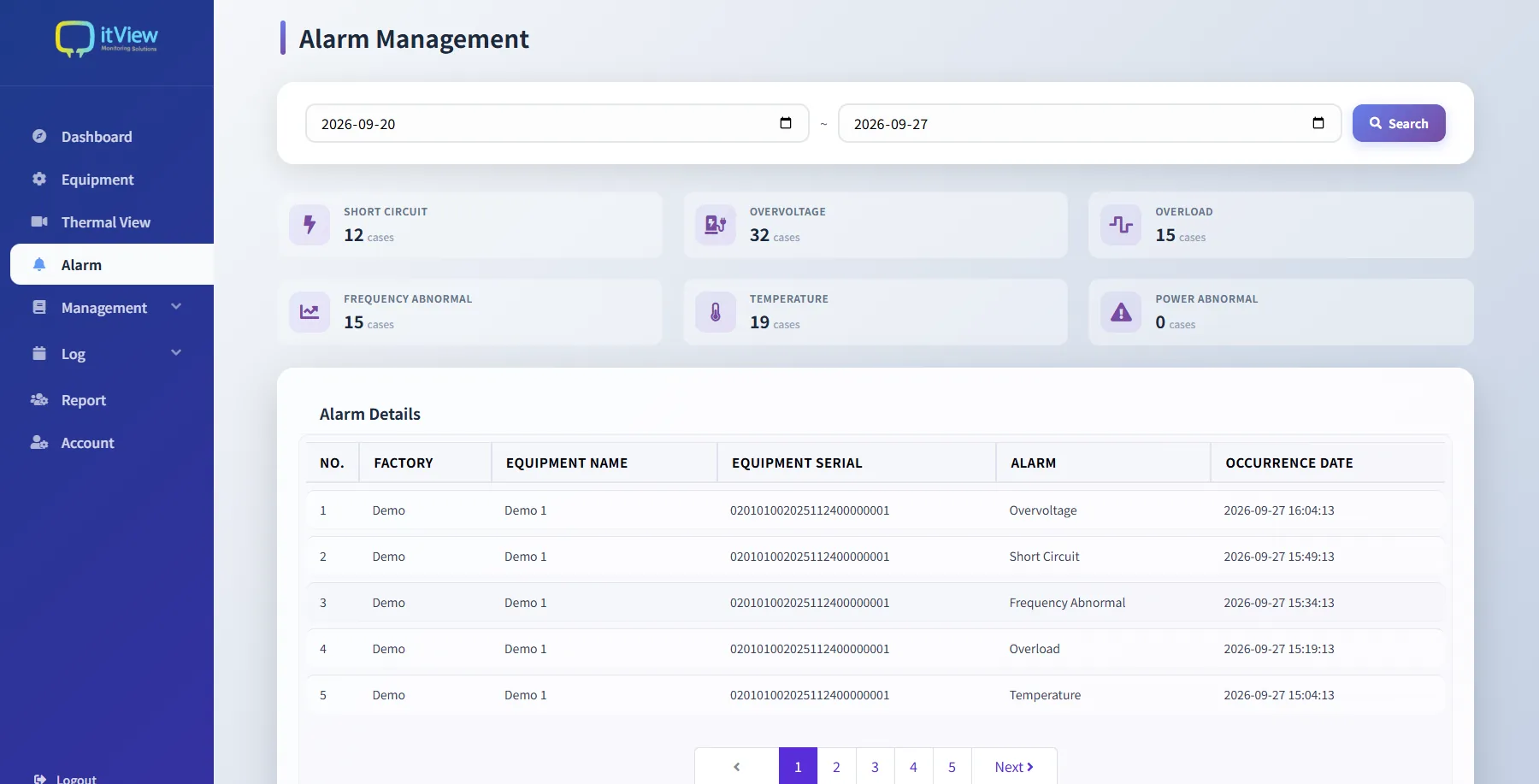
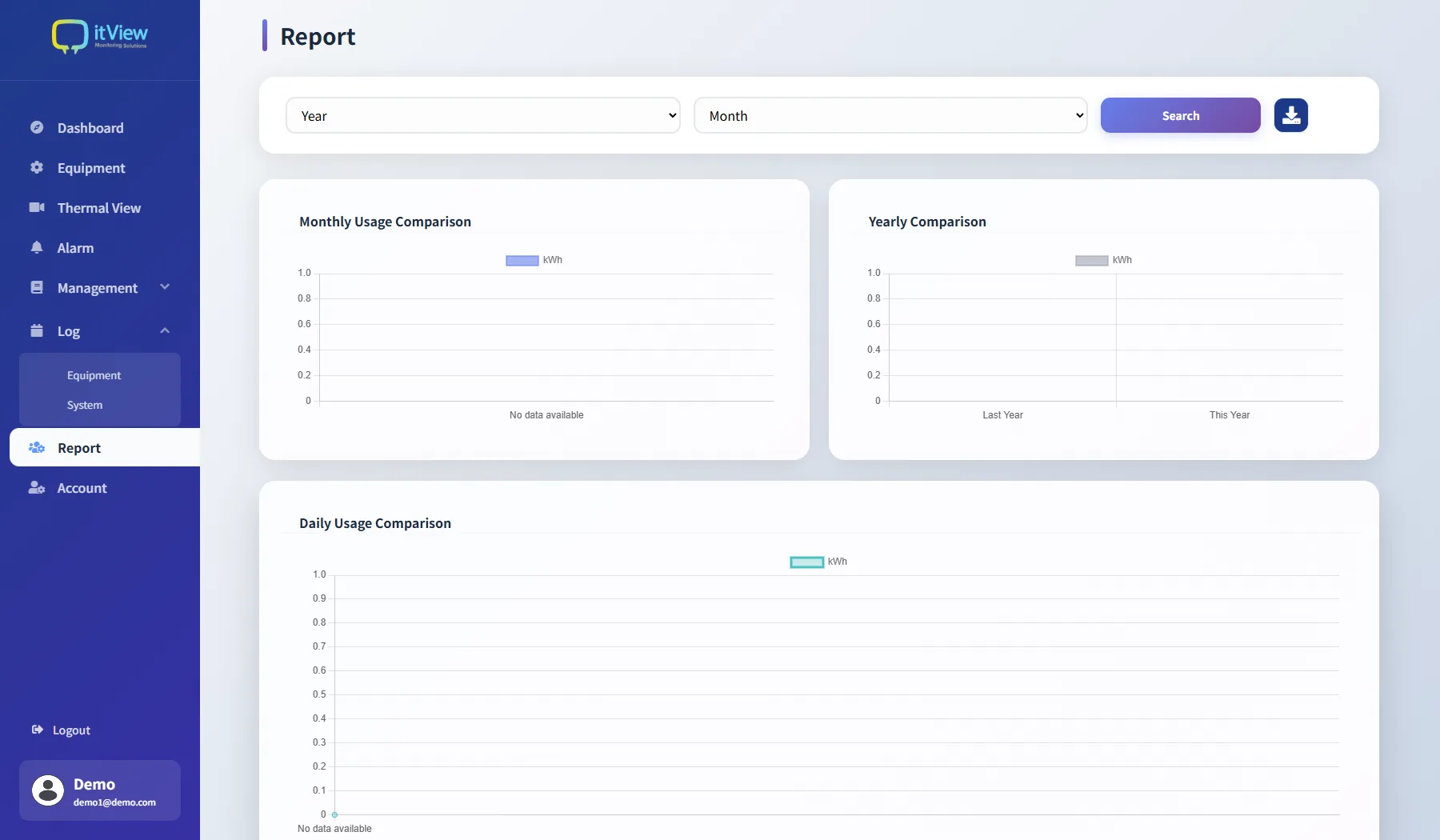
These are screens from the actual AI-ELEX monitoring system. Four screens show what you watch and how you check an abnormal condition. The screens can be switched between Korean, Japanese and English.
AI-ELEX Monitoring System● Actual screen
01
Dashboard — Equipment count, connection status, alarm count and energy use by time of day on one screen
02
Equipment list — Check real-time power, weekly average, alarm count and connection status for each unit of equipment
03
Alarm management — Earth leakage, overvoltage, overload, abnormal frequency, temperature rise and abnormal power, tallied by type
04
Report — Compare energy use by hour, day, month and year, and download it as a file
※ These are actual screens accessed with a demo account. The equipment names and figures shown are demo data, and the screen layout may differ by version.