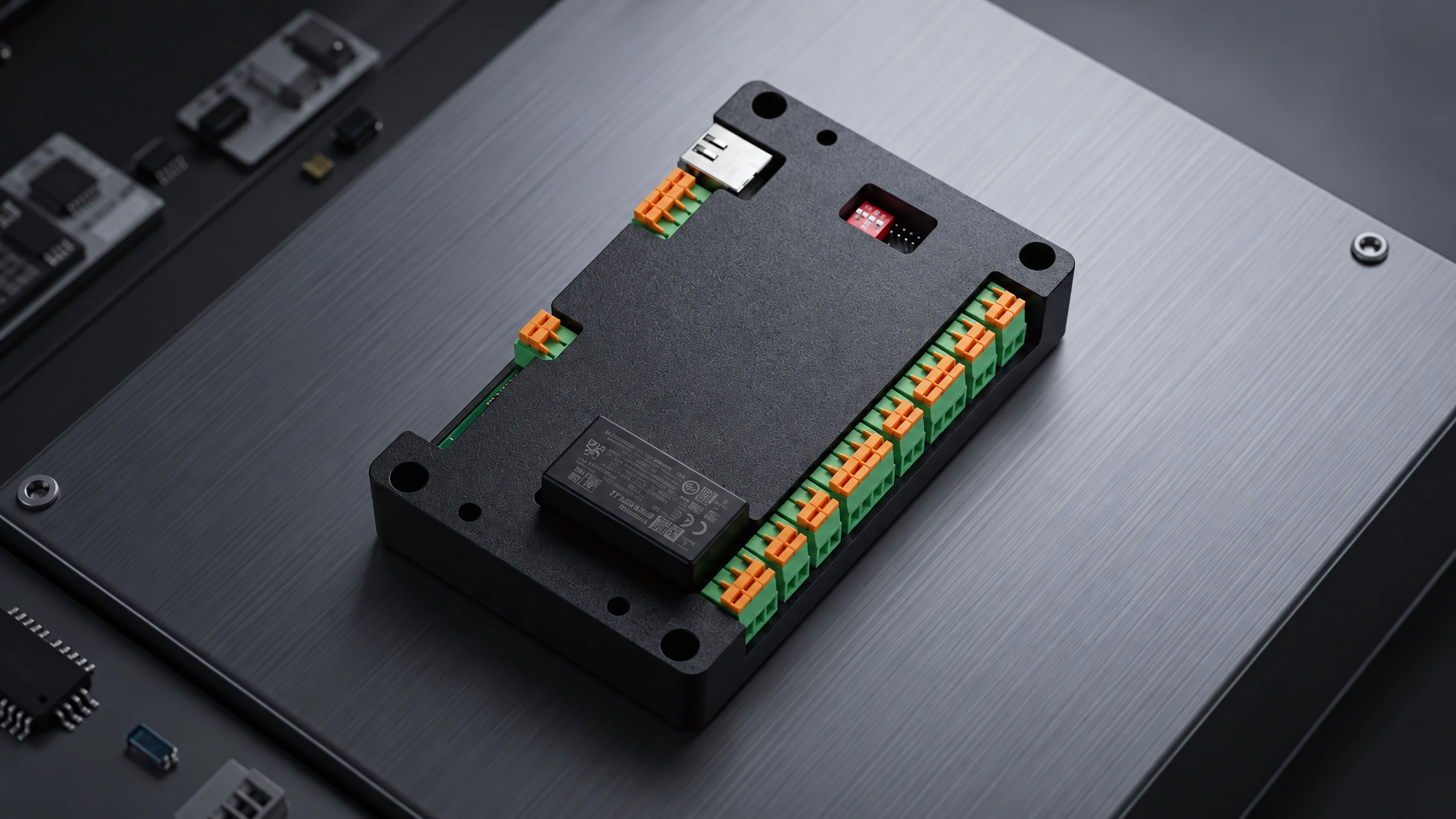
AI Power Monitoring Solution
Your power bill,
start where it leaks.
Connects to your existing distribution panel.
AI-ELEX connects to your existing distribution panel and reads power separately for each piece of equipment.
When something looks wrong, it tells you which equipment, what happened and when.
- No panel replacement
- No large-scale work
- Expand where you need it
- 250+Sites deployed in Korea
- Smart Factory supplierSelected by Korea's Ministry of SMEs and Startups
- Innovation Voucher supplierSelected by Korea SMEs and Startups Agency (KOSME)
- RetrofitConnects to existing panels
Challenges
What we hear on site
We know the total,
but not where it is wasted
Without a breakdown by floor, zone and equipment, it is hard to find where to cut.
We find out about faults
only after they happen
Reacting after the fact makes it hard to reduce equipment failures and electrical fire risk.
We see the data
but not what to do next
The graphs are there, but too few people can read them, so little changes.
AI-ELEX addresses all three with data at the equipment level.
About AI-ELEX
How is this different from a power meter?
A power meter shows how much you use. AI-ELEX shows how much each piece of equipment uses, and tells you when a value differs from the usual pattern.
-
01
Data collection
Sensors in the distribution panel collect voltage, current, power and temperature in real time.
-
02
AI analysis
The system learns your usage patterns and finds early signs of faults, wasted power and peak risk.
-
03
Monitoring
Check the whole site or a single piece of equipment from a PC or a smartphone.
-
04
Alarms with location
You get the equipment, the type of anomaly and the time, and it is kept in the history.
Why AI-ELEX
Compared with a standard meter
How AI-ELEX differs from common power visualization tools.
| Standard power visualization | AI-ELEX | |
|---|---|---|
| Measurement scope | —Mainly energy use | ✓Power plus earth leakage, temperature, voltage/current imbalance and overload |
| Information provided | —Graphs and figures | ✓Affected equipment, type of anomaly and time of occurrence |
| Handling anomalies | —Staff read the data themselves | ✓AI learns usage patterns, detects anomalies early and sends an alarm |
| Unit of management | —By equipment or circuit | ✓By site, by distribution panel and by equipment |
| Task automation | —Data export | ✓Period comparison reports and log records organized automatically |
Alert
You are told where
and what happened
When an anomaly occurs, you receive the affected equipment, the type of anomaly and the time.
- Where and whatPinpoints the location by building, floor, distribution panel and equipment.
- Which anomalyClassified as earth leakage, overvoltage, overload, abnormal frequency, temperature rise or abnormal power.
- Kept on recordAlarm history and logs remain available for inspections and reporting.
- Check the per-phase current values on panel B-3.
- Check the circuit carrying the concentrated load (two air handling units).
- Redistribute the load to another phase if needed.
Solutions
Factories and buildings need different setups
AI-ELEX for Industry
Setup AI-ELEX Core · Power monitoring for the whole plant and its main equipment
- Analyze power use per machine to find where to cut
- Detect early signs of equipment faults from current and voltage changes
- Real-time alarms for overheating, overload and other electrical safety risks
- Remote checks and inspection history reports
Suited to: manufacturing plants, production lines, plant office buildings
See the factory solution For buildingsAI-ELEX for BEMS
Setup AI-ELEX Core + Hub · From common areas down to equipment in each zone
- Five-level analysis: building, floor, zone, distribution panel, equipment
- Separate screens for owners, managers, engineers and tenants
- Period comparisons to see where savings are possible
- HVAC setting guidance linked to outside weather data
Suited to: office buildings, retail facilities, schools, hospitals and care homes
See the building solutionProduct Lineup
Start with one Core,
add Hubs later
Depending on the site, install Core on its own or combine Core and Hub.
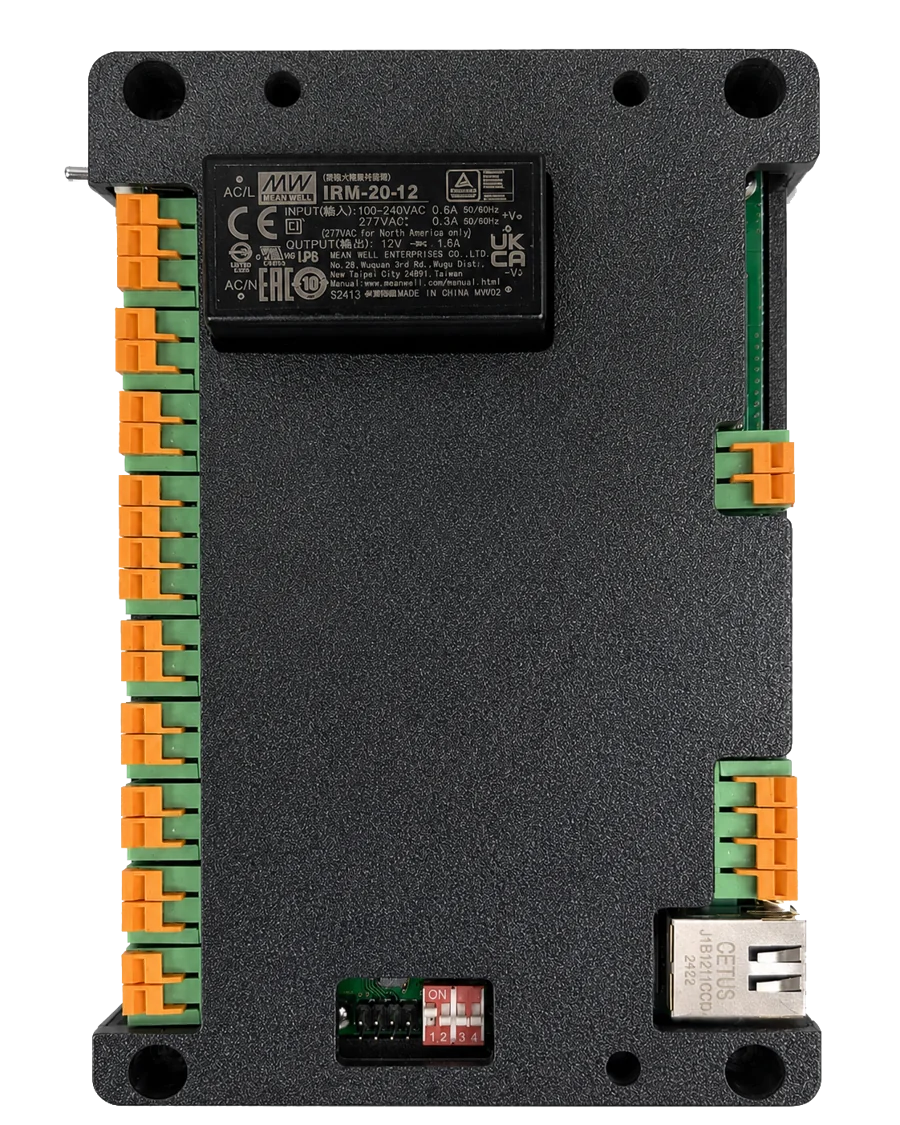
AI-ELEX Core
Base model
Installed where power use is high and management priority is greatest.
- Main use
- Main distribution panels, high-capacity equipment
- Facilities
- Factories, main supply in buildings
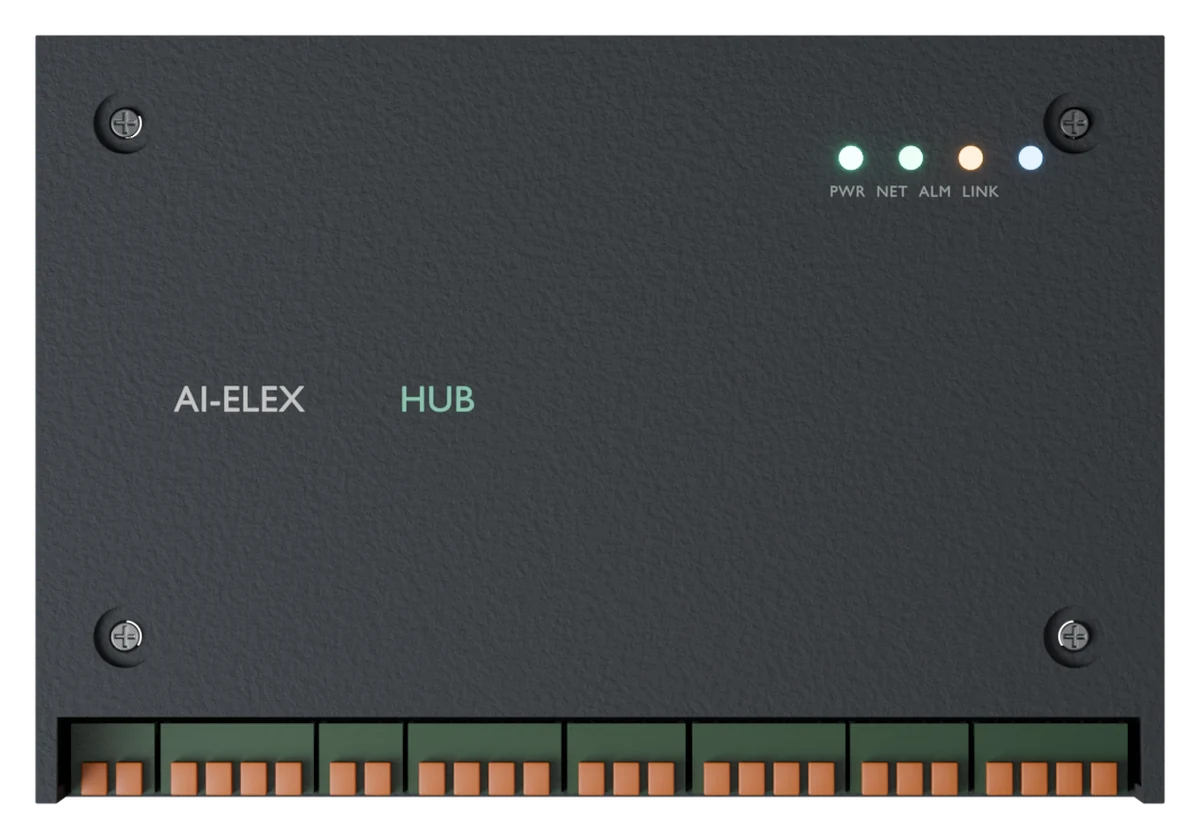
AI-ELEX Hub
Expandable measurement model
In panels with many circuits, it collects power separately by floor, by zone and by equipment.
- Main use
- Panels for individual floors and zones
- Facilities
- Buildings, retail facilities
Factories Core · Buildings Core + Hub — See the full specifications →
Case Study
Case studies
Automotive parts plant and office building (about 3,500 m² floor area)
- Annual energy reductionapprox. 162,000kWh
- Monthly bill savingsapprox. KRW 2.2million
- Annual bill savingsapprox. KRW 26.4million
- Payback periodapprox. 1.5years
※ These figures were measured at a site that deployed AI-ELEX and improved its equipment at the same time, so they are not the effect of AI-ELEX alone. Savings vary with site conditions and how the site is operated.
Selections and certifications
Supplier for Korean government support programs


Product certifications
Installation
Keep the panel as it is,
and start where you need it
- 01
Compact design
Designed small enough to fit inside a tight distribution panel.
- 02
Retrofit installation
Mounted on a DIN rail inside the existing distribution panel, or installed in a separate measurement enclosure connected to that panel. No equipment replacement or large-scale work is required.
- 03
Step-by-step expansion
Start where you need it first, then add measurement points over time.
Deployment process
- STEP 01
Site survey
Review the panel layout, measurement targets and operating goals
- STEP 02
Measurement points
Decide where Core and Hub are installed
- STEP 03
Install and map
Register panel, equipment and zone information
- STEP 04
Pattern learning
Analyze normal usage patterns and periods of peak risk
- STEP 05
Ongoing tuning
Improve operations with alarms, guidance and reports
Contact
Choose what fits your stage
Download the brochure
A document covering the product lineup, main functions and case studies, available right away.
Get the brochure (free)A look at the screens
See the actual monitoring screens and examples of alarms.
See the screensQuestions and quotes
We answer questions on feasibility, cost and the number of units you would need.
Contact usPhone+82-70-7574-5106Weekdays 10:00 – 18:00 (KST)
FAQ
Frequently asked questions
Please ask us anything else you would like to know.
Does installation require major work?
The unit is mounted on a DIN rail inside the existing distribution panel. Where there is no spare room, a separate measurement enclosure is installed and connected to the panel. No equipment replacement or large-scale work is required.
How does it communicate?
It connects to the site network over wired LAN (Ethernet) to send data. Because no wireless link is used, there is less concern about radio interference or dropped connections.
What if there is no wired LAN near the panel?
If the site has Wi-Fi, we offer an optional compact router that converts Wi-Fi to LAN. Where there is no network at all, an LTE communication option is available at additional cost. Several AI-ELEX units can share one router, so the cost per unit falls as the number of units grows.
Can we start with only some equipment?
Yes. Start with the panels or equipment that matter most, then add measurement points later as needed.
What should we prepare before talking to you?
It helps to have the site type (factory, building and so on), your goals, the scope you want to monitor (main supply, floors, zones, number of machines) and photos of the distribution panel. We can then review your case faster.